

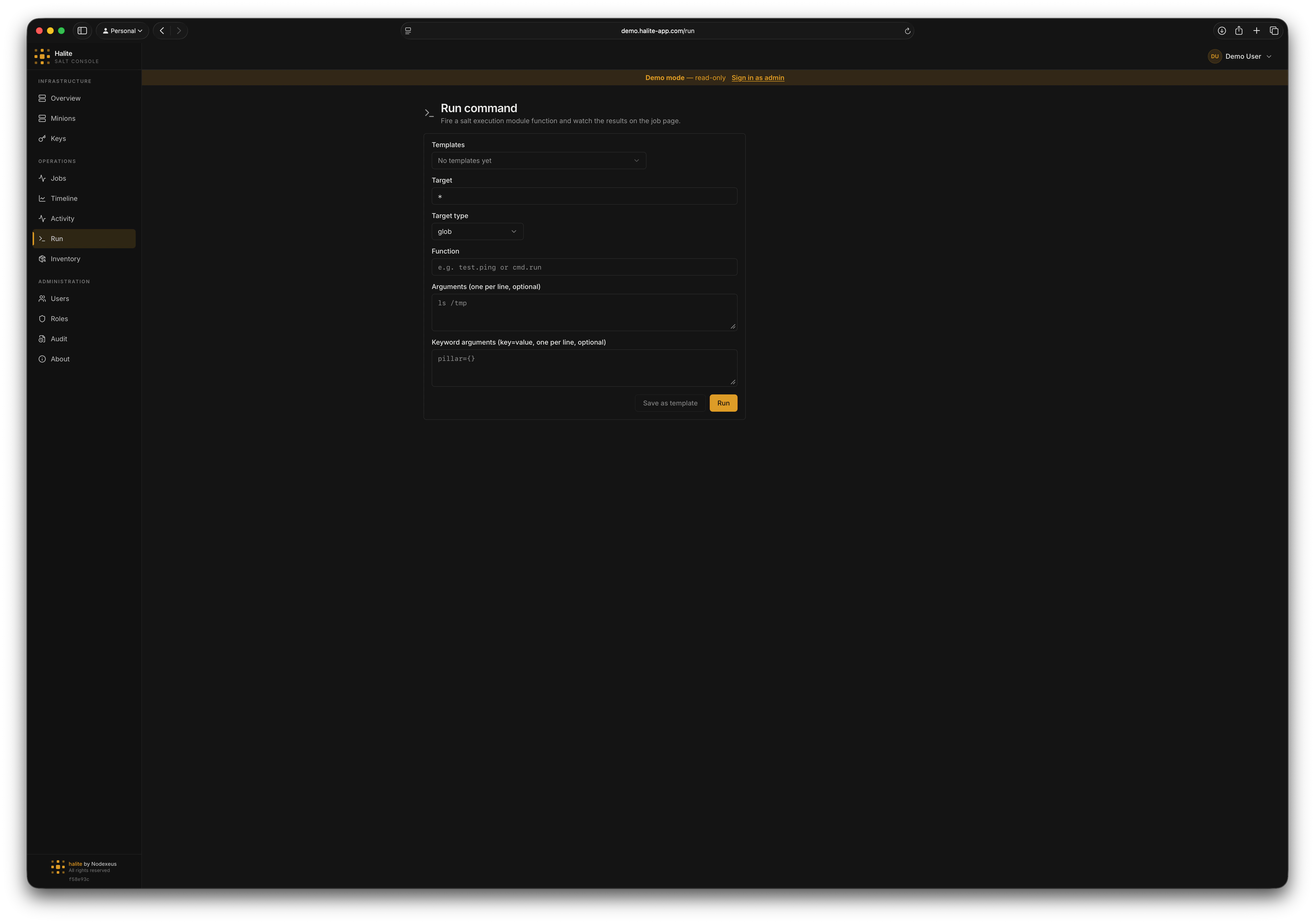
Run form showing target, target type, function, args, and kwargs fields
Request shape
When you submit the Run form, Halite sends aPOST /api/run request with the following JSON body (defined by RunCommandIn):
string
required
The targeting expression. What this means depends on
target_type — a glob pattern, comma-separated minion IDs, a PCRE regex, a grain match, a nodegroup name, or a compound expression.string
default:"glob"
How to interpret
target. One of:string
required
The execution function in
module.function form (e.g. test.ping, pkg.version, state.highstate). The field validates that the value matches the module.function pattern.array
Positional arguments passed to the function. Each element is a string. Defaults to
[].object
Keyword arguments passed to the function as a key/value object. Defaults to
{}.Response
A successful dispatch returns HTTP 202 Accepted with the following body (defined byRunCommandOut):
jid— the Salt job ID; use this to look up results on the Jobs page.minions— the list of minion IDs that were targeted.
Function autocomplete
The function input field is backed by the Salt function catalog, served fromGET /api/salt/functions. The catalog lists every execution function the Salt master knows about, cached for one hour to avoid hammering salt-api on every keystroke. Any authenticated user can access the catalog.
Examples
Example 1: ping all minions
- UI
- API request
- API response
- Set Target to
* - Leave Target type as
glob - Set Function to
test.ping - Leave Args and Kwargs empty
- Click Run
Example 2: check the installed version of nginx on web servers
- UI
- API request
- API response
- Set Target to
web-* - Leave Target type as
glob - Set Function to
pkg.version - Add
nginxto Args - Click Run
Saving as a template
If you run the same command regularly, save it as a Command Template. Click Save as template in the Run form after filling in the fields. Templates can be kept private or shared with your team.Permissions
The built-in operator role has
execute:salt:*. The built-in viewer role does not — viewers can browse results but cannot dispatch jobs.
For custom roles and permission scoping, see RBAC.