

Activity is only populated when the event stream is enabled in Settings. Until then, the page loads but shows no events. See How Halite Works for the architecture.
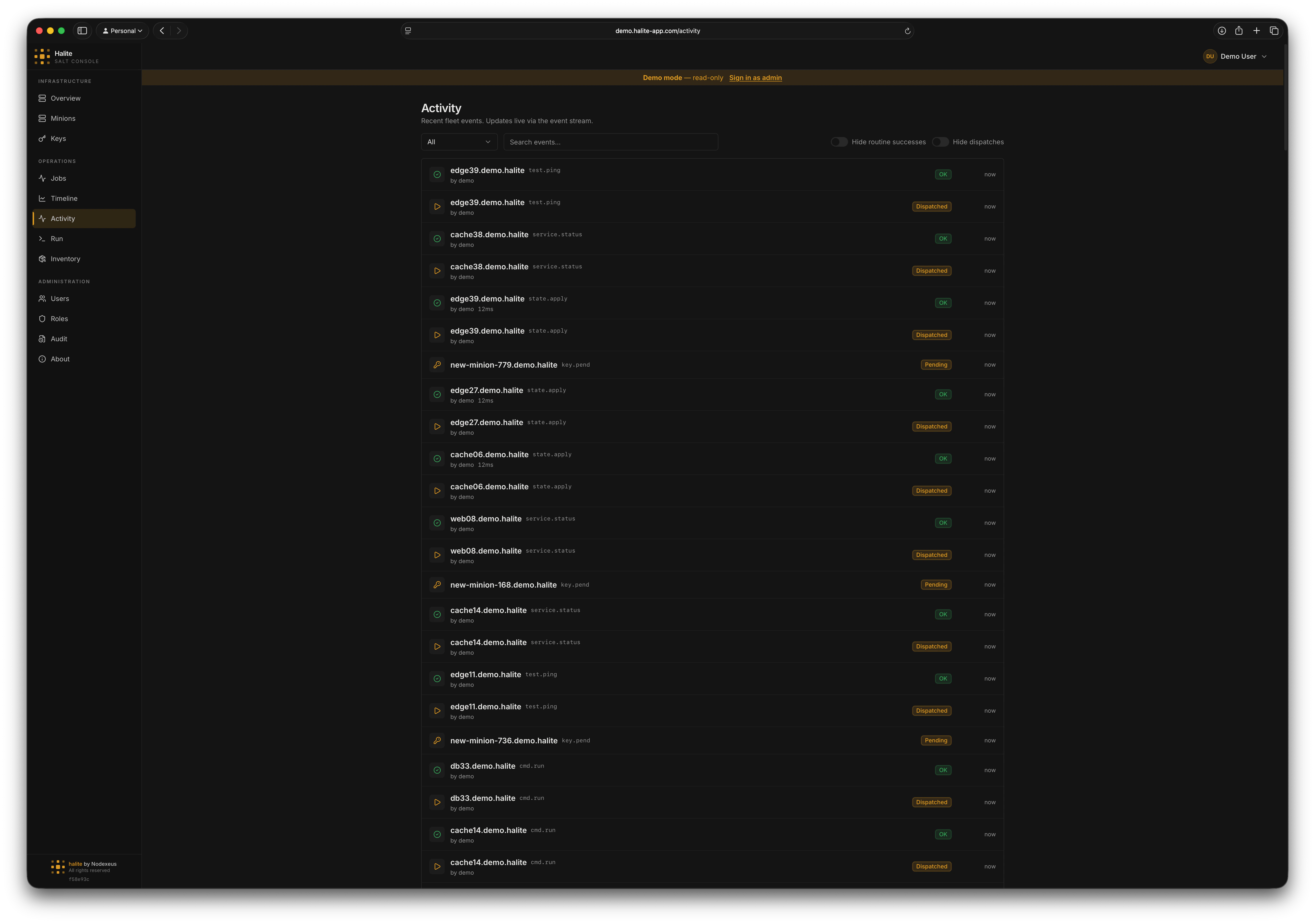
Halite Activity page showing the recent activity from the event stream
Where the data comes from
When the event stream is enabled, Halite holds a long-lived connection to salt-api’s/events endpoint and tails the Salt event bus. Each relevant event is normalized, stored in the activity_events table, and pushed to connected browsers over Server-Sent Events (SSE). The page therefore serves history from the database and new events live from the stream at the same time.
Because events are persisted, the feed survives page reloads and shows activity from before you opened the page — bounded by the configured retention window (default 30 days).
Event categories
Every event falls into one of three categories, each tied to a permission:
You only see categories you have permission to view. A user with
view:job:* but not view:key:* sees job events and never sees key events — both on the page and in the live stream.
Job return states
Job returns (job.ret) are classified by outcome so you can scan the feed quickly:
- Failed — the job returned a non-zero retcode.
- Changes — the job succeeded and made state changes.
- OK — the job succeeded and made no changes (a “routine success”).
Filtering the feed
The Activity page gives you several controls to cut through the noise:select
Limit the feed to a single category — Job, Key, or Minion — or show all.
string
Full-text match across the event summary, minion ID, function name, initiator, and target.
boolean
Hide routine successes — successful job returns that made no changes. Leaves failures and change-making runs visible. Useful for spotting drift and problems.
boolean
Hide dispatch events (
job.new), so the feed shows only completions and outcomes rather than every command that was kicked off.Live updates everywhere
The same SSE stream that powers the Activity page also keeps the rest of the console fresh. When an event arrives, Halite invalidates the relevant cached queries:- A job event refreshes the Jobs data.
- A key event refreshes the Keys data.
- A minion event refreshes the Minions data.
Permissions
The Activity page and its endpoints require any one of the three category permissions:
The Activity item appears in the sidebar whenever you hold at least one of the three category permissions.
Related pages
- Overview — the recent-activity widget and live heartbeat on the dashboard
- Settings — enable the event stream and tune retention
- How Halite Works — the streaming architecture