

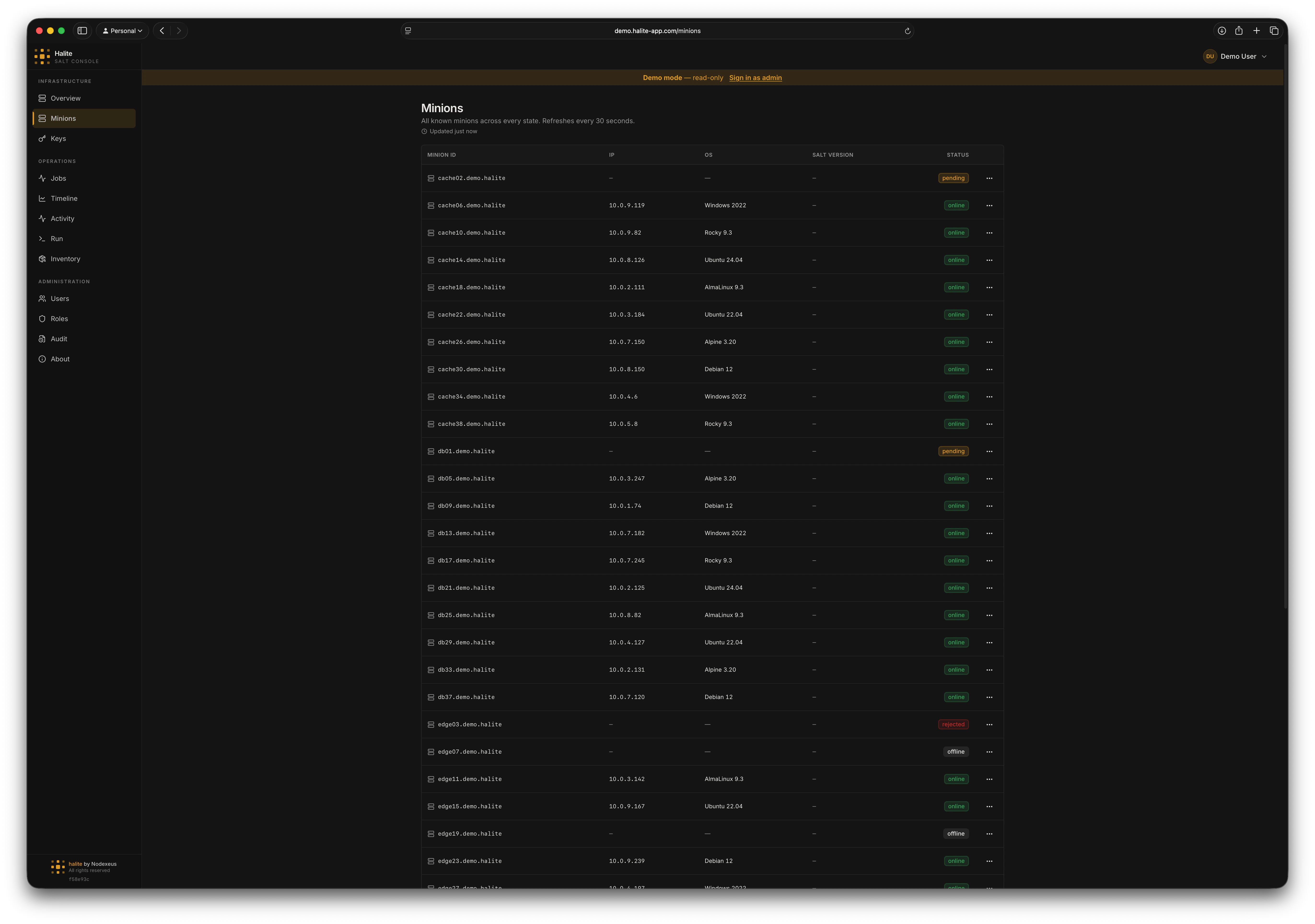
Minions list showing online/offline status, IP, OS, and Salt version
Minion statuses
Each minion row carries one of five statuses, derived from both its key-approval state and its online presence:Only
accepted minions can receive jobs. pending, rejected, and denied minions appear in the list so you can act on their keys from the Keys page without switching views.Snapshot freshness
The snapshot row for each minion is updated by three separate pollers: keys, presence, and grains. If the oldest of those three timestamps is more than 10 minutes old, the page shows a stale warning badge. You can adjust poller cadences in Settings → Pollers.Viewing a minion
1
Open the Minions page
Click Minions in the left sidebar. The page loads immediately from the local snapshot database.
2
Find the minion you want
Use the search field to filter by minion ID, OS, or IP address. The list is sorted alphabetically by minion ID.
3
Click a minion row
Clicking a row opens the minion detail panel, which shows:
- Full status and primary IP
- Denormalized OS grains:
os,os_family,osrelease,kernel,kernelrelease - Virtualisation type (
virtualgrain) - CPU count and total memory
- Salt version
- The full raw grains dictionary (expandable)
- Recent run history and compliance trend
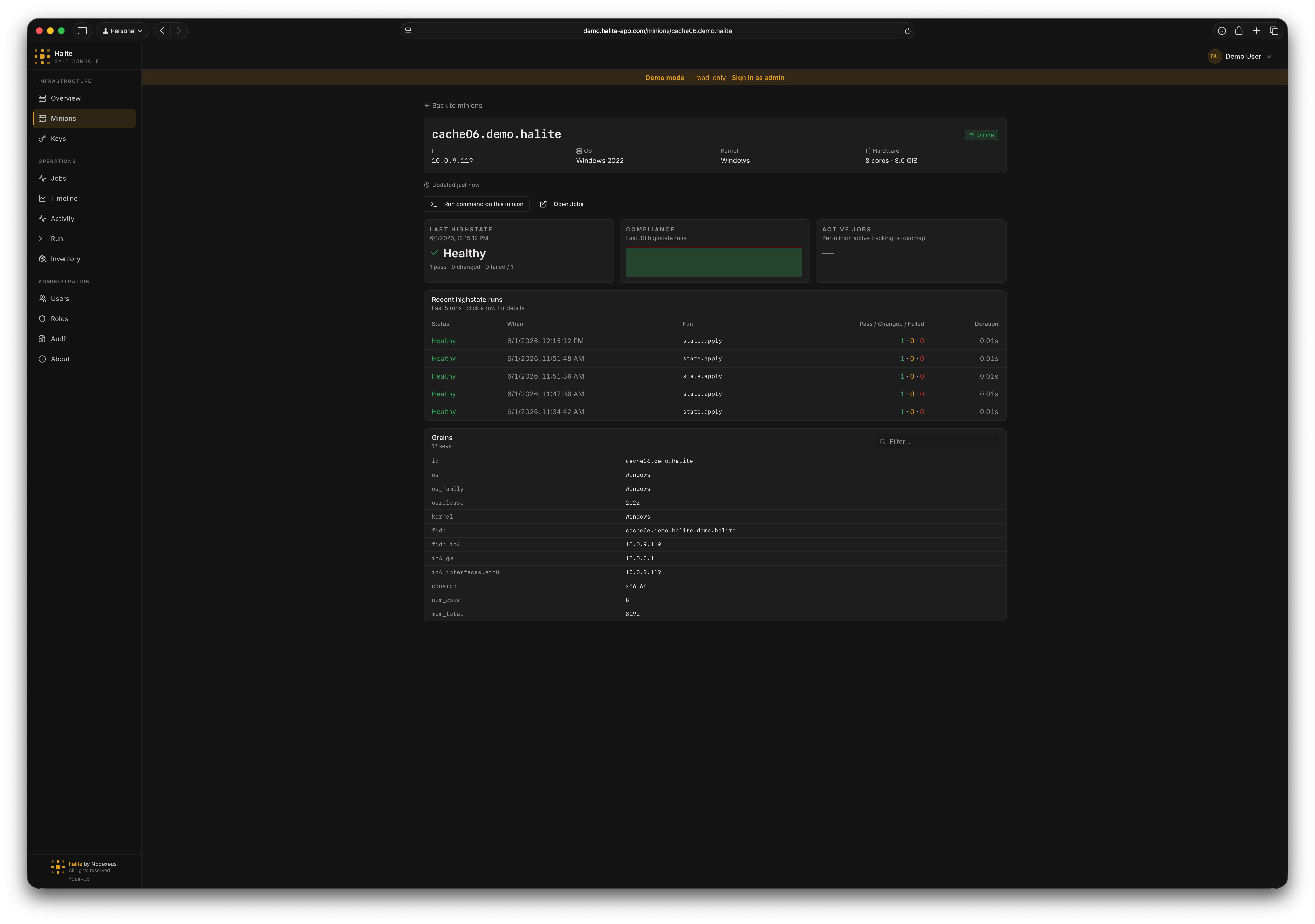
Minion detail panel showing grains, OS info, and recent run history
Grains data
Halite caches grains for accepted online minions only. The pollers pull grains from the Salt master’s grain cache (not by re-targeting the minion), so grains data does not require the minion to be responsive at query time. The following denormalized columns are stored directly on the snapshot row for fast list-view rendering:os, os_family, osrelease, kernel, kernelrelease, virtual (as virtual_type), num_cpus, mem_total_mb, saltversion. The full grains JSONB column holds the complete grain dictionary for detail views.
Example: finding all Debian minions
On the Minions page, typeDebian in the search box. The table filters to rows where os_family or os contains “Debian”, letting you quickly assess how many Debian hosts are online before running a package upgrade.
Permissions
All minion routes requireview:minion:*.
The built-in viewer role includes
view:minion:*, so all users can see the minion list by default.