

pkg.list_pkgs and stored locally, so browsing the fleet’s packages does not require a live Salt connection.
The page is organised as a three-level drill-down:
- Fleet-wide aggregate — one row per package name, with how many minions have it and how many distinct versions exist.
- Version list — click a package name to see every distinct
(version, arch, source)combination and a count of minions on each. - Row-level search — use the advanced query endpoint to find all minions where a specific package version satisfies a comparison (
=,≠,<,≤,>,≥).
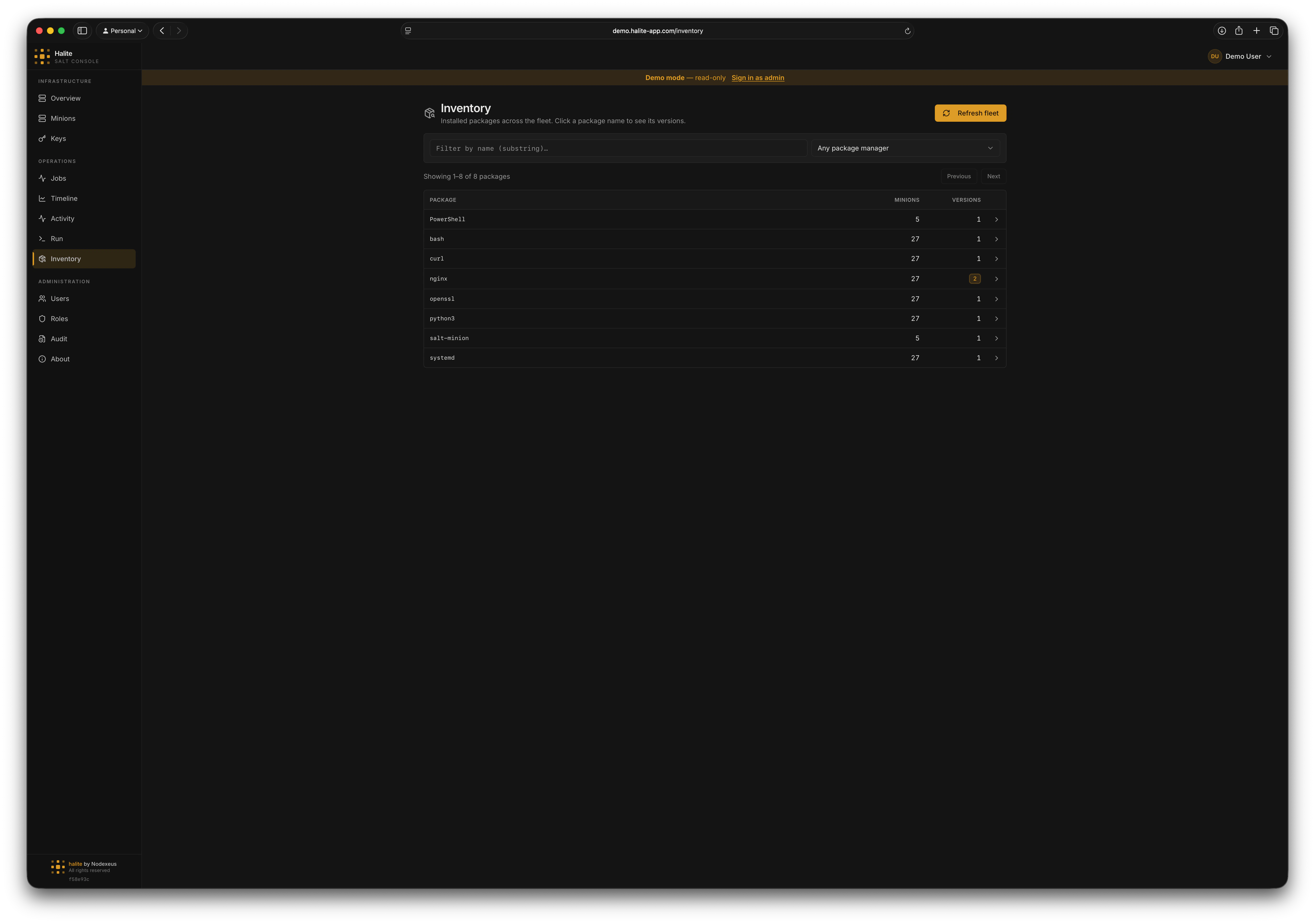
Inventory package list showing fleet-wide package aggregate with version and minion counts
Level 1 — fleet-wide package list
The default landing view callsGET /api/inventory/packages. It groups every inventory_package row by name and returns:
Use the
q query parameter for a case-insensitive substring search on package name. Optionally narrow by source (apt, rpm, or pacman). Results are paginated via limit (1–5000, default 100) and offset.
Level 2 — per-package version list
Click a package row to callGET /api/inventory/packages/{name}/versions. The response contains one row per distinct (version, arch, source) combination, sorted by minion_count descending so the most-deployed version appears first.
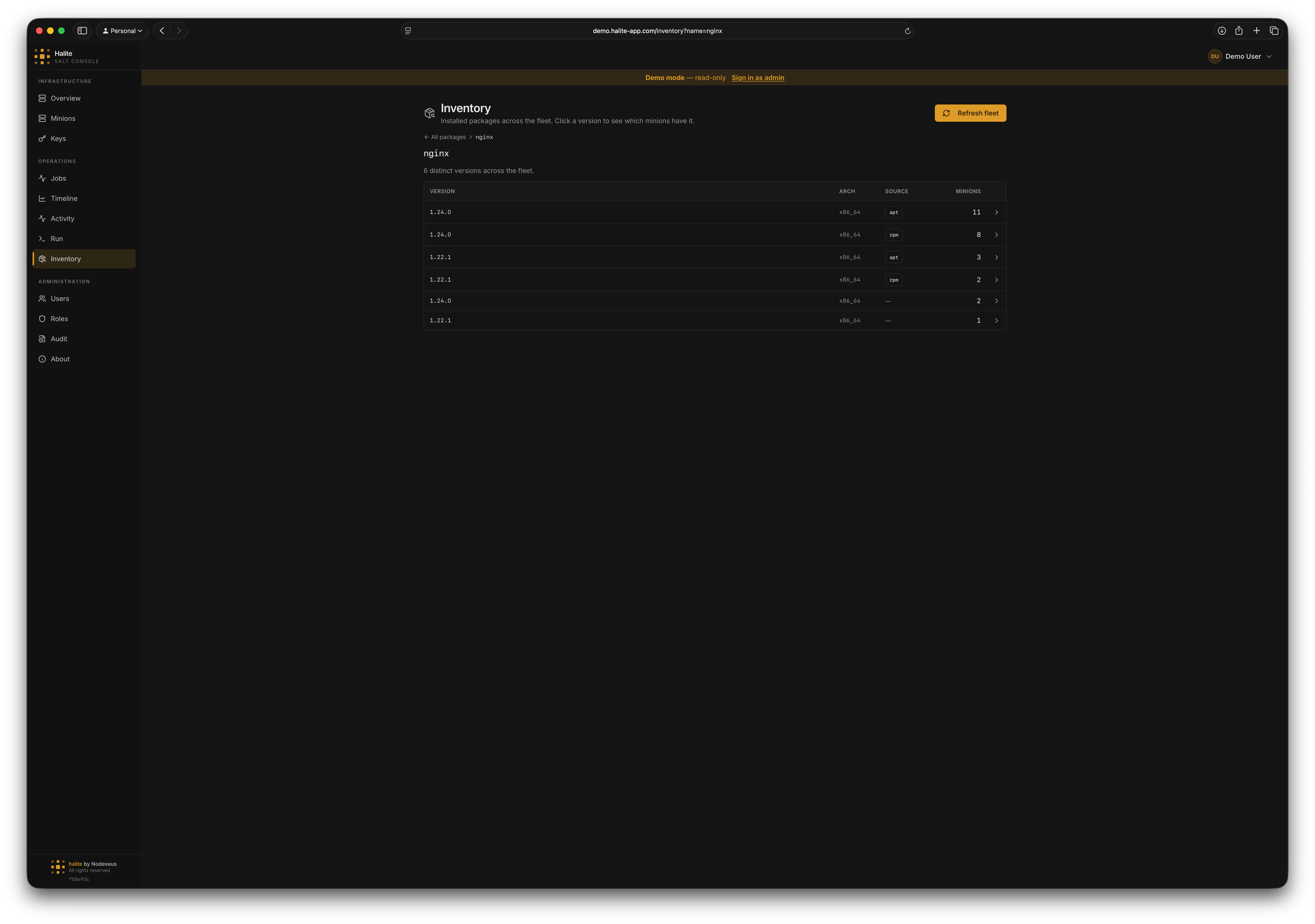
Per-package version list sorted by minion count descending
Level 3 — row-level search
POST /api/inventory/packages/search accepts a structured filter body (PackageQueryIn):
At least one of
name or minion_id is required.
Version comparison
Version strings are compared using package-manager-aware logic —"10.0" correctly sorts as greater than "2.0". The dispatcher is chosen based on the source column:
The
truncated flag in the response is true when the SQL candidate set was capped at 50,000 rows before the version filter ran; in that case, narrow your name or minion filter.
Refreshing inventory data
Manual refresh
Click Refresh in the Inventory UI (orPOST /api/inventory/refresh). The request body is:
target_type values: glob, list, pcre, grain, nodegroup, compound.
The endpoint fans out pkg.list_pkgs and grains.get os_family to the targeted minions simultaneously, then does a delete-and-reinsert for each minion’s rows in a single transaction. If no minions respond with usable data, the API returns 502 Bad Gateway.
Background scheduler
Halite can refresh inventory automatically. The interval is configured in-app (not via env vars) under Settings → Pollers. The relevant field isinventory_refresh_minutes — set it to 0 to disable the scheduler. You can also set inventory_refresh_initial_delay_s to control how long after startup the first run waits (default: 30 s).
The scheduler fires one iteration, waits for it to complete, then sleeps the full interval before the next iteration. A slow refresh does not queue additional refreshes. Offline minions are silently skipped and retain their previous snapshot.
See Settings for the full list of configurable intervals.
Example: finding servers with an outdated OpenSSL
1
Open Inventory and search for openssl
On the Inventory page, type
openssl in the search box. The fleet-wide aggregate shows all matching packages and how many minions are on each version.2
Click the package name
Click
openssl to view the version list. The dominant (most-deployed) version appears first.3
Use the advanced search to find older versions
Switch to the advanced query form and set a version filter of
< 3.0.0 with source = apt. The results show every minion still running OpenSSL below 3.0.0, ready to target with a package upgrade job.Permissions
The built-in viewer role includes
view:inventory:* (read-only access). Triggering a manual refresh requires collect:inventory:*, which is not granted to viewer — assign the operator role or create a custom role to allow it.