

jobs_index database table, which Halite’s background poller keeps current. Running-job status is derived from an in-memory active-JID cache that the scheduler refreshes alongside each poll cycle. Live data can also be fetched directly from the Salt master for cases where you need results immediately after dispatching a command.
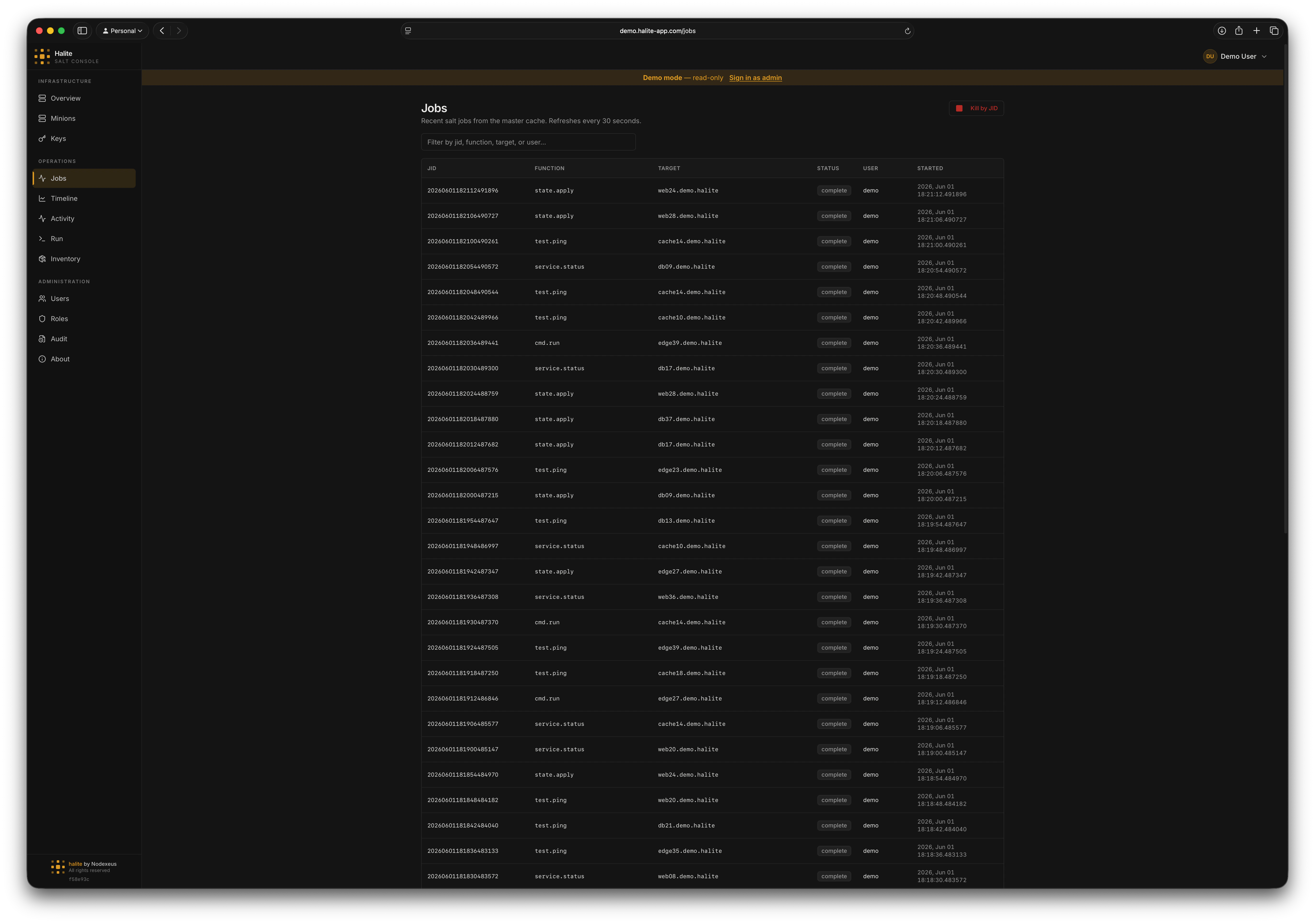
Jobs list showing recent jobs with status badges, function names, and targets
Browsing jobs
The default view shows the 50 most recent jobs ordered by start time descending, read from the localjobs_index table.
Each row shows:
- JID — the Salt job ID (encodes the UTC start time)
- Function — the module.function that was called (e.g.
test.ping,state.highstate) - Target — the targeting expression used
- Target type — the targeting method (glob, list, etc.)
- User — the Salt user who dispatched the job (from the Salt master)
- Status —
runningif the JID is in the active-JID cache;completeotherwise
Live mode
Append?live=true to the URL (or toggle the Live switch in the UI) to bypass the database and fetch directly from the Salt master. This is useful immediately after dispatching a job before the poller has ticked. Live mode is capped at 500 jobs.
Viewing job detail
1
Open the Jobs page
Click Jobs in the left sidebar.
2
Click a job row
Clicking a row fetches the full job detail from the Salt master (
GET /api/jobs/{jid}).3
Inspect per-minion results
The detail view shows a table of every minion targeted, with columns for:
- Return value — the raw return from the minion
- Success — whether the minion reported a successful result
- Return code — the exit code (0 = success)
state.highstate and other state jobs, the return value is parsed and displayed as a structured state result table with pass/fail counts per state.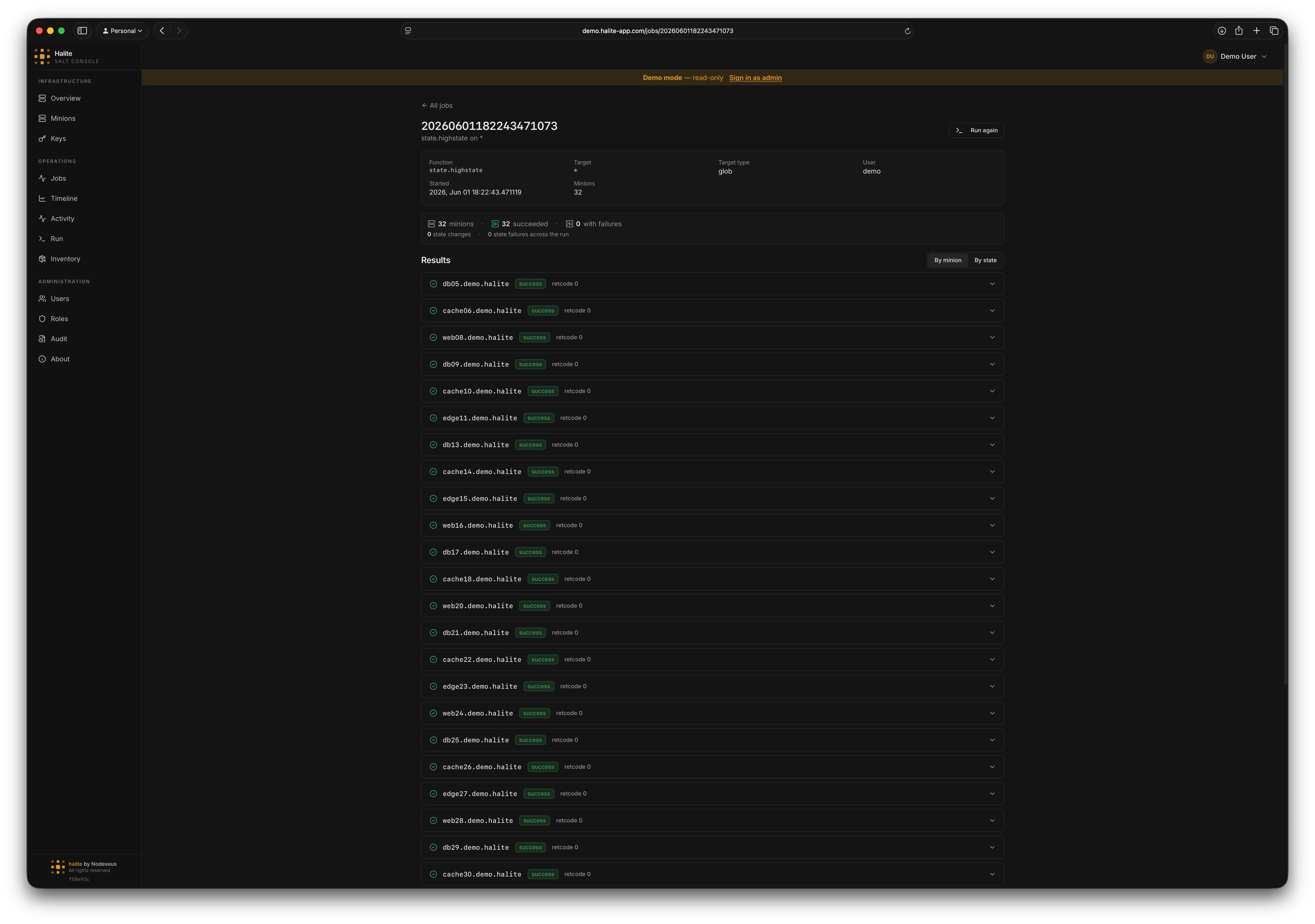
Job detail panel showing per-minion results and highstate state table
Highstate result parsing
When the function is a state job (function prefixstate.), the per-minion return value is parsed from the raw Salt return dictionary into a structured list of state results. Each row shows the state ID, result (pass/fail), duration, and any changes or comments.
Killing a running job
1
Find the running job
On the Jobs page, running jobs show a Running badge. You can also filter by status.
2
Click Kill
Open the job detail and click Kill. Halite sends
POST /api/jobs/{jid}/kill (HTTP 202 Accepted).3
Confirm
The job status updates to
complete on the next poll cycle. The kill action is recorded in the audit log.Example: checking a recent highstate
Open the Jobs page and search forstate.highstate. Click the most recent row. The detail panel shows a per-minion breakdown. Any minion with at least one failed state is highlighted in red, with the failing state ID and error message expanded.
Permissions
The built-in operator role has both
view:job:* and kill:job:*. The built-in viewer role has view:job:* only and cannot kill jobs.